


Photo Scan App by Photomyne
4.32.99K Reviews
App Specs
- Version
- 26.7.2607001L
- Updated On
- License
- Free
- Downloads
- 5,000,000+
- Developer
- Photomyne Ltd.
- Categories
- Photography
- Platform
- Android, iOS
Screenshots


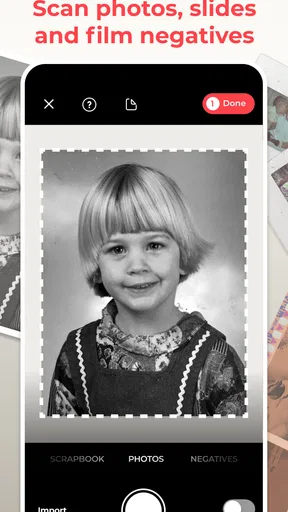
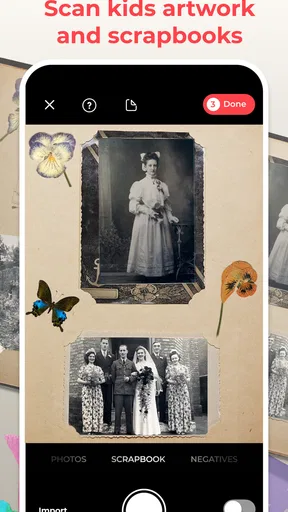
 Analysis by AppCompare
I’d recommend Photo Scan App by Photomyne to anyone who wants a practical way to bring paper photographs onto a phone without turning each picture into a separate, painstaking project. Its main appeal is speed: the app is designed to recognize several prints in one camera view, separate them, and make a digital version of each. That makes it useful for working through an old album in short sessions. It is less compelling if you need exact archival control or expect software to repair every flaw in a damaged original.
A quicker route from album to digital folder
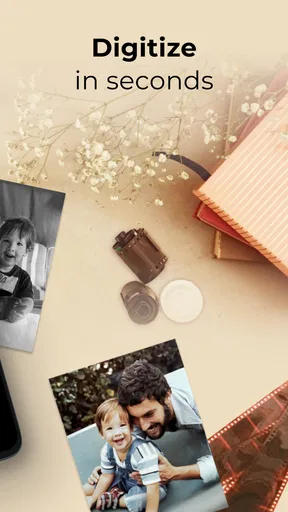
Scanning family photographs is often delayed because the usual alternatives involve a flatbed scanner, careful placement, and repeated trips between the device and a computer. A phone-based workflow is easier to begin: open an album, choose a well-lit spot, and capture a group of prints together. Photomyne Ltd. focuses this photography app on that particular job, rather than trying to be a general-purpose camera editor.
The strongest practical benefit is not simply that several pictures can be captured in one pass. It is that batching changes how approachable a large collection feels. Instead of taking out a scanner for an entire afternoon, I can digitize a small group while sorting a box or visiting family. I would still review the results before putting the originals away, but the lower setup burden makes it easier to keep going.
What a careful scanning session looks like
For the cleanest results, I would work on a flat surface and avoid casting a shadow across the prints. Glossy photographs can reflect a nearby lamp or window, so changing the angle or moving the light source is often more useful than repeatedly retaking the same shot. A phone held steadily above the pictures also gives the app a clearer view of their edges. These small adjustments matter because automatic cropping can only work with the image it receives.
A useful habit is to scan a representative test group before tackling a whole album. Include a dark print, a faded one, and a photograph with a light border, then inspect how the app separates and crops them. If one edge is missed, adjust the spacing between prints or improve the contrast against the surface. This quick check can prevent a batch of images from needing the same correction later.
Automatic enhancement is a convenience, not a substitute for the original. It can make a faded picture look more vivid on a screen, but that does not mean it restores lost detail or reproduces the print’s exact colors. I would keep the paper photographs, compare a few scans with them, and treat the enhanced version as a shareable digital copy rather than a definitive preservation master.
Bringing Old Memories Back to Life
Have you ever stumbled upon an old photo album and wished you could easily digitize those memories? That's where the magic of the Photo Scan App by Photomyne comes in. As soon as I launched the app, I was greeted with an intuitive interface that made the whole scanning process a breeze. You just hold your phone over the photo, and voila, it captures the image beautifully. It's like having a mini photo studio right in your pocket!
Worth Reading Before You Choose

EA SPORTS FC Mobile 26 Is a Bigger Football Game, but It Takes Time

Flipboard Shows What News Apps Must Do Beyond the Feed

Switching to Android Auto Means Rethinking Your Driving Routine

Google Calendar Makes a Crowded Week Easier to Manage

Ludo King Makes the Most of the Minutes Between Plans

Baby Panda World Brings Quick Play to Modern Phones, but Its Game Library Feels Busy
Features That Stand Out
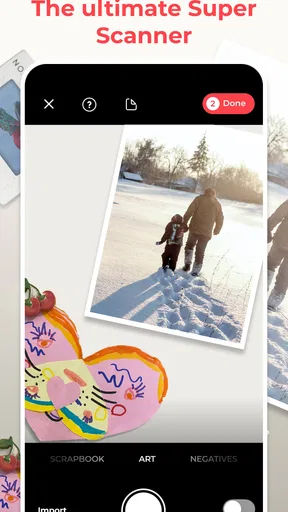
Now, what really caught my attention were the app's standout features. First off, it allows you to scan multiple photos at once. Yep, you heard that right! No more one-at-a-time scanning; this app lets you digitize an entire album in minutes. It's super efficient, especially if you're dealing with stacks of photos.
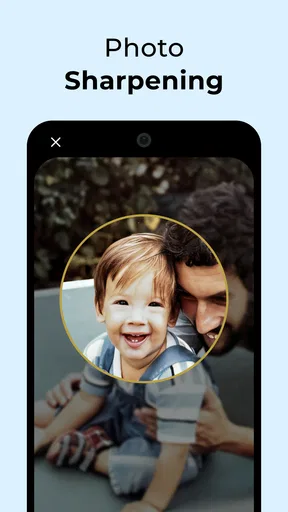
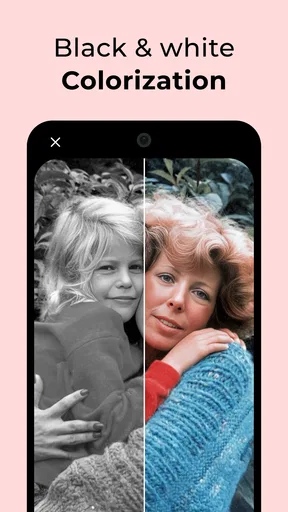
Another cool feature is the automatic cropping and color correction. The app's AI does a fantastic job at identifying the edges of your photos and enhancing them to look as good as new. I was genuinely impressed by how vibrant and clear my old, faded photos looked after using this app.
Easy Sharing Options
Once you've got your photos scanned, the app offers a variety of sharing options. Whether you want to send them directly to your family group chat or upload them to your favorite social media platform, Photo Scan by Photomyne has got you covered. The app also allows you to create digital albums, which makes organizing and accessing your photos a total breeze.
That album organization is especially handy when a scan session has a purpose. I might create one group for a particular family gathering and another for pictures whose dates or people still need identifying. Adding context while memories are fresh—such as a relative’s name or the place shown—can make a digital collection more useful than a folder full of unexplained image files. I would share selected scans with relatives as a way to check names and stories before treating those details as certain.
Sleek and User-Friendly Design
The design of the app is sleek and minimalistic, which I absolutely love. It's not cluttered with unnecessary features, making the user experience smooth and enjoyable. The developers clearly focused on functionality and ease of use, which is always a plus in my book.
The app also comes with a handy tutorial for first-time users. It guides you through the scanning process, ensuring you get the best results. Even if you're not tech-savvy, you'll find this app incredibly easy to navigate.
Where convenience has limits
Phone scanning is not automatically the best choice for every photograph. If I were preparing a small number of irreplaceable prints for high-quality enlargement, I would consider a flatbed scanner: it takes longer, but careful placement and a more deliberate capture process may suit that job better. Photomyne makes more sense when convenience and throughput matter more than fine-grained control.
There is also a trade-off in scanning several prints together. It saves repeated capture steps, but each photograph still deserves a quick check for straight edges, missed borders, glare, and focus. A crowded layout can make separation less reliable, while widely spaced prints take more passes. I would favor small, tidy groups over trying to fit every photograph on the table at once.
Likewise, automatic color correction involves judgement. A warmer or brighter result may feel pleasing, yet family photographs often have a particular cast that reflects the paper, age, or lighting when they were made. For images where that look matters, I would compare the enhanced scan with the unedited appearance and avoid assuming that the most vivid version is the most faithful one.
Who will get the most from it
This is a good fit for someone sorting a relative’s albums, sharing old pictures with family, or gradually digitizing prints without buying or setting up a separate scanner. It can also help when several people are together: one person can identify faces and occasions while another captures a few photographs, making the session part of a conversation rather than a solitary chore.
I would be more cautious if you have a very large archive and need a carefully verified backup plan, or if your priority is professional restoration rather than convenient capture. The free download lowers the barrier to trying it, but the app also offers in-app purchases ranging from $0.99 to $299.99 per item. I would check which capabilities require payment before building a long-term workflow around them, and decide whether any paid option matches how often I will actually scan.
It is rated for Everyone, has an average rating of 4.2 from around 46,000 ratings, and has been installed over 5 million times. Those figures suggest a widely used tool, but they cannot tell me whether its approach suits a particular collection. The app’s current version is 26.2.2.2602200L, and it runs on Android 8.0 or later; I would check that compatibility before planning a scanning session on an older device.
Sharing, storage, and a sensible workflow
Sharing a scan is not the same thing as keeping a dependable archive. Before digitizing a whole collection, I would decide where the finished images should live and how I want to keep another copy. A phone can be convenient for browsing and sending a few pictures, but relying on one device alone leaves the collection tied to that device. I would periodically export or back up important images using a method I already trust, then confirm that the copies open correctly.
For a family project, I would start with photographs that have immediate meaning rather than trying to process every print in order. Scan a handful for an upcoming visit, ask relatives to help identify people, and use that information to organize the next batch. This creates a manageable loop: capture, check, label, and share. It also makes it easier to notice when a scan needs a new attempt before the same lighting or layout is used for dozens more.
Compared with taking ordinary phone photos of each print, the app’s multi-photo workflow and automatic edge handling are the key reasons to use it. Compared with a dedicated scanner, the advantage is convenience, while the scanner remains preferable when control and careful reproduction matter most. Neither option removes the need to inspect the finished files; the right choice depends on whether the collection calls for quick sharing or painstaking preservation.
Subscription Details
While the app is free to download and use, there are some premium features you can unlock with a subscription. These include unlimited photo backup and access to the full range of editing tools. If you're serious about preserving your photo collection, the subscription might be worth considering.
I found the pricing to be reasonable compared to other similar apps, and given the convenience it offers, it might just be a worthwhile investment for photo preservation enthusiasts.
Final Thoughts
In conclusion, the Photo Scan App by Photomyne is a fantastic tool for anyone looking to digitize their precious memories. Its ease of use, combined with its powerful features, makes it a must-have app for photo lovers. Whether you're scanning old family photos or vintage snapshots from your travels, this app will help you keep those memories alive and well-preserved in the digital age.
If you're ready to take a trip down memory lane and bring your old photos into the 21st century, give this app a try. You won't be disappointed!
Pros
- Quickly digitizes old photos with ease.
- Automatically enhances image quality.
- Supports batch scanning efficiently.
- User-friendly interface for all ages.
- Cloud backup keeps photos safe.
Cons
- Limited editing features available.
- Subscription required for full access.
- Watermarks on free version exports.
- Occasional accuracy issues with crops.
- App size can be hefty for some devices.
FAQs for Photo Scan App by Photomyne
What is Photo Scan App by Photomyne used for?
Photo Scan App by Photomyne is designed to help users digitize and preserve their old photographs. It allows you to scan multiple photos at once, enhance them, and save them in digital format. This app is particularly useful for those looking to create digital archives of their cherished memories.
Can I edit photos after scanning them with Photomyne?
Yes, the app offers a variety of editing tools to enhance your scanned photos. You can adjust colors, crop images, and apply filters to improve the quality of your photos. These features make it easy to enhance the appearance of old photos and bring them to life.
Is Photo Scan App by Photomyne free to use?
Photo Scan App by Photomyne offers a free version with basic features. However, to access advanced features such as unlimited scanning, cloud backup, and higher resolution exports, a subscription is required. Users should consider their needs to decide if the premium version is necessary.
How accurate is the scanning process with Photomyne?
The app uses advanced AI technology to accurately detect and crop each photo during the scanning process. While it generally provides excellent results, the accuracy can be affected by the lighting conditions and the quality of the original photos. Proper lighting and positioning can enhance the outcomes.
How does Photomyne ensure the security of my photos?
Photomyne takes user privacy seriously by employing secure cloud storage for backups and using encryption to protect your data. Users can choose to store photos locally on their device or in the cloud. It’s advisable to review their privacy policy for detailed information on data protection.


